
MenuScouter instruction manual
How It Works
Use this guide when the restaurant is not already in MenuScouter, or when the restaurant exists but the dish you want to rate has not been added yet.
Before you begin
- Sign in to MenuScouter. Guests can browse, but adding restaurants and dish ratings requires an account.
- Know the restaurant name and the dish name you want to recommend.
- Have location access available if you want MenuScouter to fill latitude and longitude for the restaurant.
- Have a food photo ready if you are creating a brand-new dish.
Part 1
Add the restaurant.
If the restaurant is already listed, open it and skip to Part 2. If it is missing, add it first so your dish rating has a restaurant page to attach to.
Open restaurant search.
Go to the Restaurants area and tap the add button. The search field says Search / Add Restaurant.
Search for the restaurant name.
Type the restaurant name. If MenuScouter finds a matching restaurant, select it. If the restaurant is not listed, use Add new restaurant.
Enter the restaurant name.
On the Add Restaurant screen, confirm the Name field. The name needs to be more than three characters.
Answer the location question.
Choose Yes, No, or I don't know for Is there more than one location? Choose Yes for chains or restaurants with multiple locations.
Add coordinates.
Tap Use My Location to fill Latitude and Longitude automatically, or enter both values manually. The app expects six decimal places.
Submit the restaurant.
When the form is valid, the Submit button becomes active. Tap Submit. MenuScouter opens the new restaurant page after it is created.
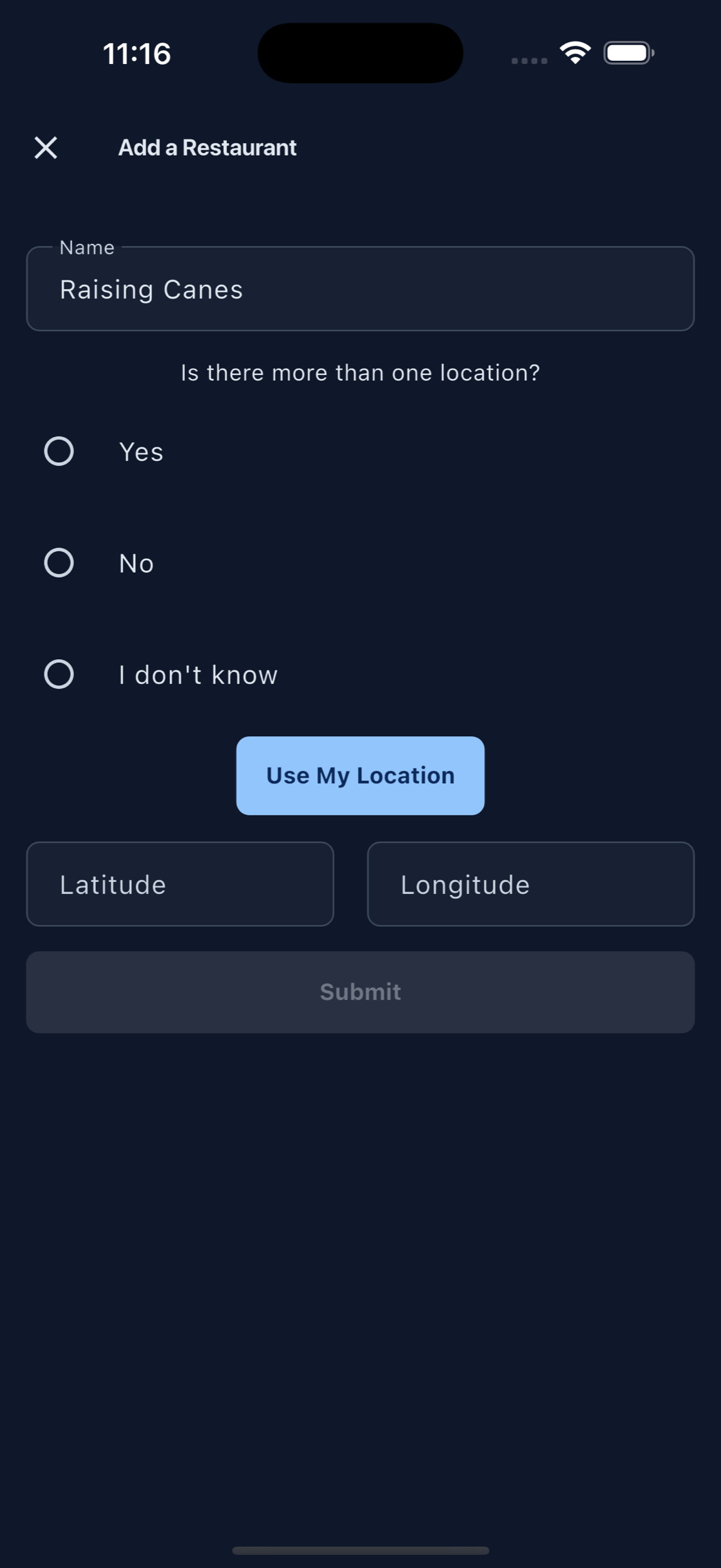
Add Restaurant screen
Part 2
Add the dish item.
Once you are on the restaurant page, choose the food category and open the Add Item screen. This is where you create the dish record or select an existing dish to review.
Type the food item name.
In Name of food item you are rating, enter the dish, drink, dessert, or menu item name.
Check suggestions.
MenuScouter searches the restaurant for matching dishes as you type. If the dish already exists, tap the plus button beside that suggestion.
Continue with a new dish if needed.
If none of the suggestions match, use Skip Suggestions and tap Continue. The app keeps the dish name you typed and opens the rest of the form.
Add a description for a new dish.
The Description field is optional. Use it for ingredients, preparation, or anything that helps another person identify the item on the menu.
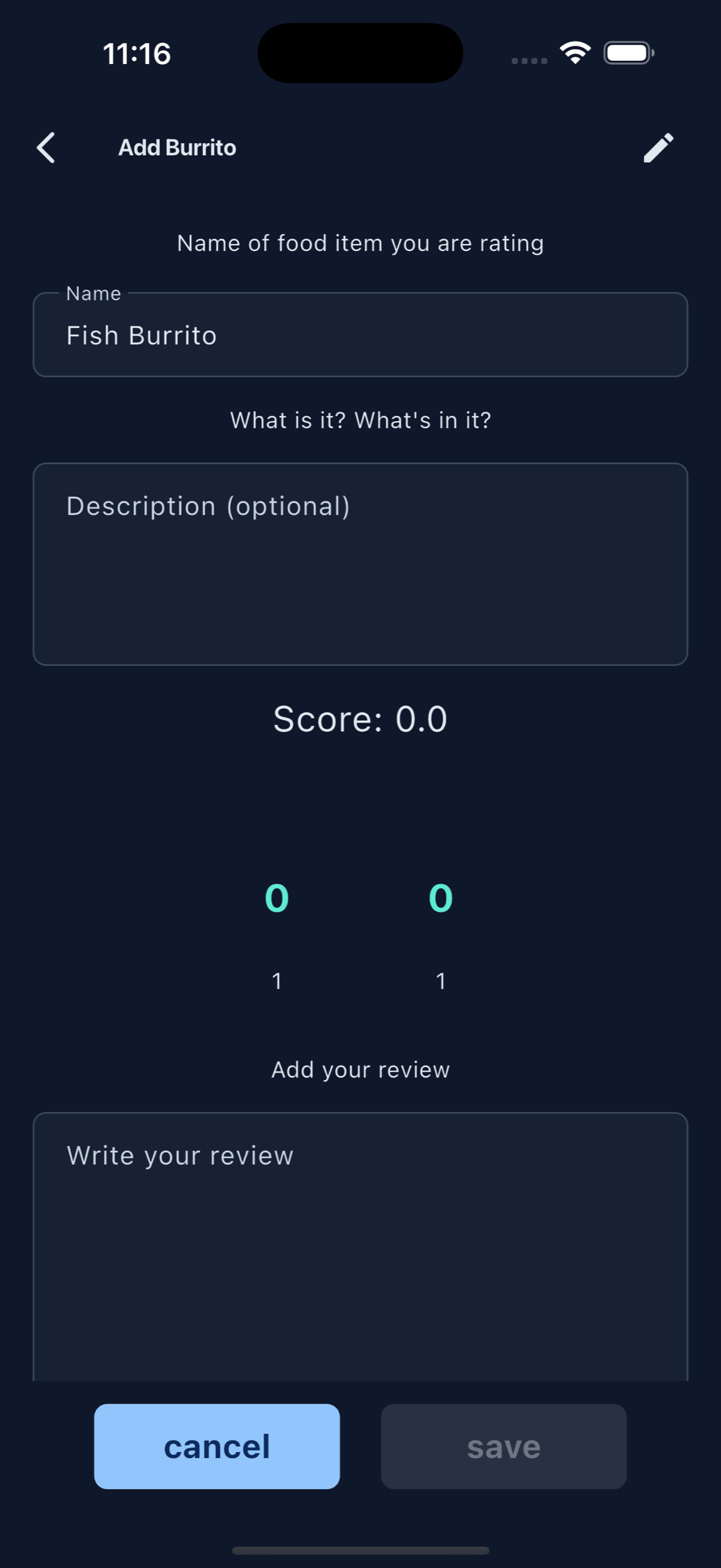
Add Item screen, dish name and suggestions
Part 3
Submit the dish rating.
A dish rating needs enough detail to help someone decide what to order. Add the score, review, and image before saving.
Set the score.
Use the Score picker to rate the dish from 0 to 10. The Save button requires a score of at least 1.
Write your review.
In Write your review, describe what you ordered and what you thought. Mention flavor, texture, portion size, spice level, value, or whether you would order it again.
Add an image.
Tap Add in the image area and choose a photo from your gallery. A photo is required for a brand-new dish. If you selected an existing dish and are only adding your review, the image is optional.
Save your rating.
Tap Save when the button becomes active. If the button is disabled, check the requirements below.
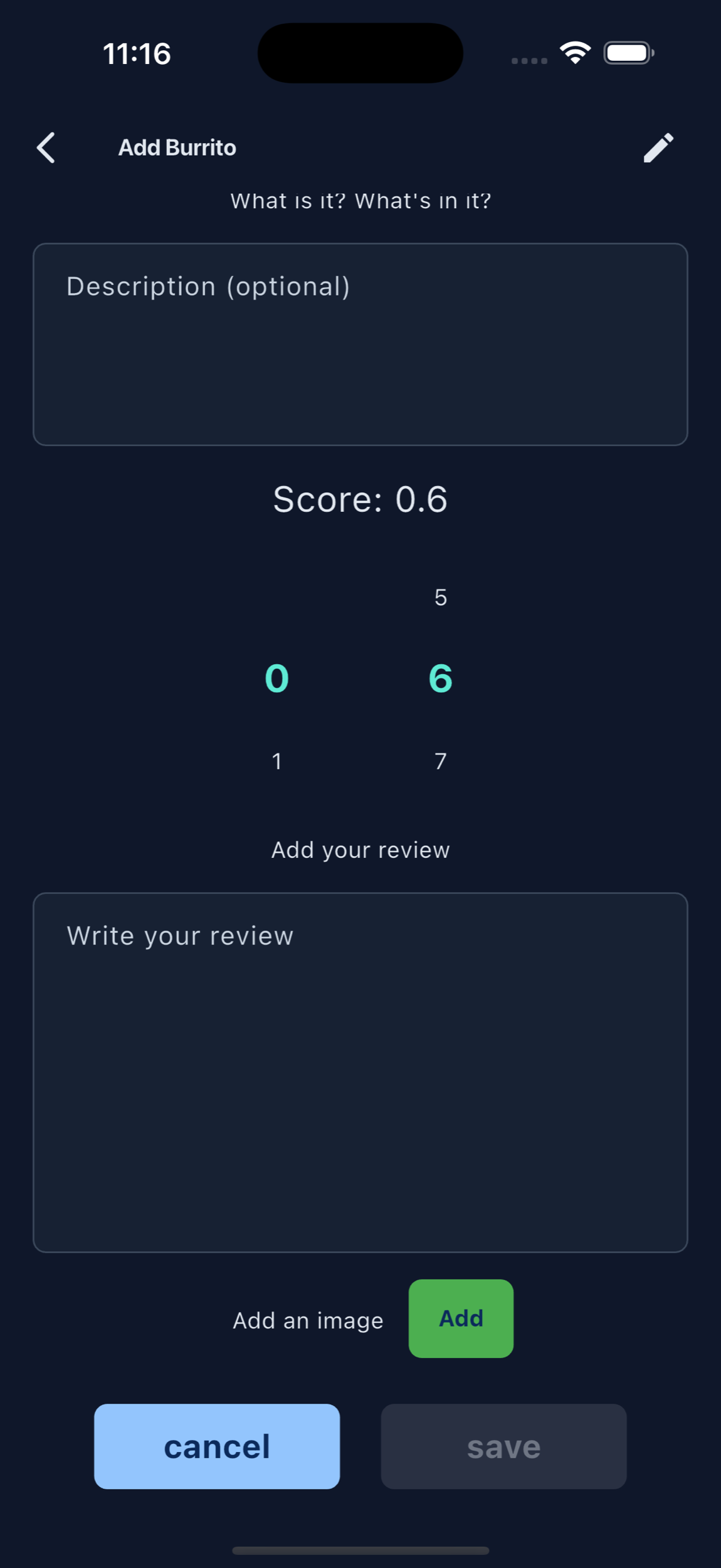
Add Item screen, score, review, photo, and save
Save button requirements
- Dish name has more than two characters.
- Score is at least 1 out of 10.
- Review text is more than five characters.
- New dish ratings include an image.
- The app is not already saving another submission.
After saving
Your rating is attached to the restaurant.
MenuScouter creates the new dish rating, adds your review to an existing dish, or updates your previous review. After saving, the app closes the Add Item screen and reloads the restaurant's dish list.